 5개의 기기

 복사
복사 Fitbit 모바일 앱에서

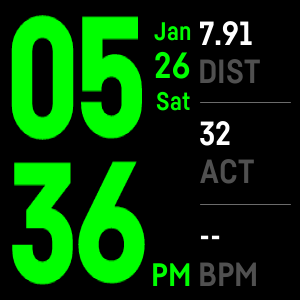
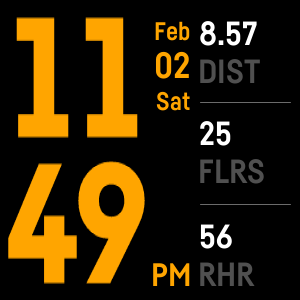
A colorful digital clock face capable of showing clock from 3 timezone. You can choose the timezone from your World Clock Settings in Fitbit Mobile App.
👉FEATURES:
✔️ Clock color can be customized via World Clock Settings in Fitbit Mobile App.
✔️ You can change the clock simply by touching the clock in your Fitbit Watch.
✔️ You will also see different stats from the watch sensors like distance, steps, calorie, heart beat and more.
✔️ To switch the stats, just touch the stats in your Fitbit Watch.
✔️ Sensor stats displayed in World Clock are touch sensitive, you can disable that via World Clock Settings in Fitbit Mobile App.
🌐 Subscription: https://www.buymeacoffee.com/zenapps
🙏Thank you for choosing World Clock by ZenApps. Please support us with $1.55 payment via K-Pay after 48hr free trial ends. For more info: https://zenapps.co/
Keywords: international clock, fall clock, color clock, halloween clock, seasonal clock, big clock, simple clock, touch clock
 이 시계 페이스에는 결제가 필요하며, 이는
앱 내에서 개발자가 관리합니다.
이 시계 페이스에는 결제가 필요하며, 이는
앱 내에서 개발자가 관리합니다.